
Exact Amount Rule And UPI Limits For A DM Play Deposit
Every DM Play deposit begins on the Account page. Whether your money reaches the wallet depends on one thing: you must pay exactly what the order you generated says. UPI accepts ₹100 to ₹50,000, and USDT is there as the alternative for crypto users.
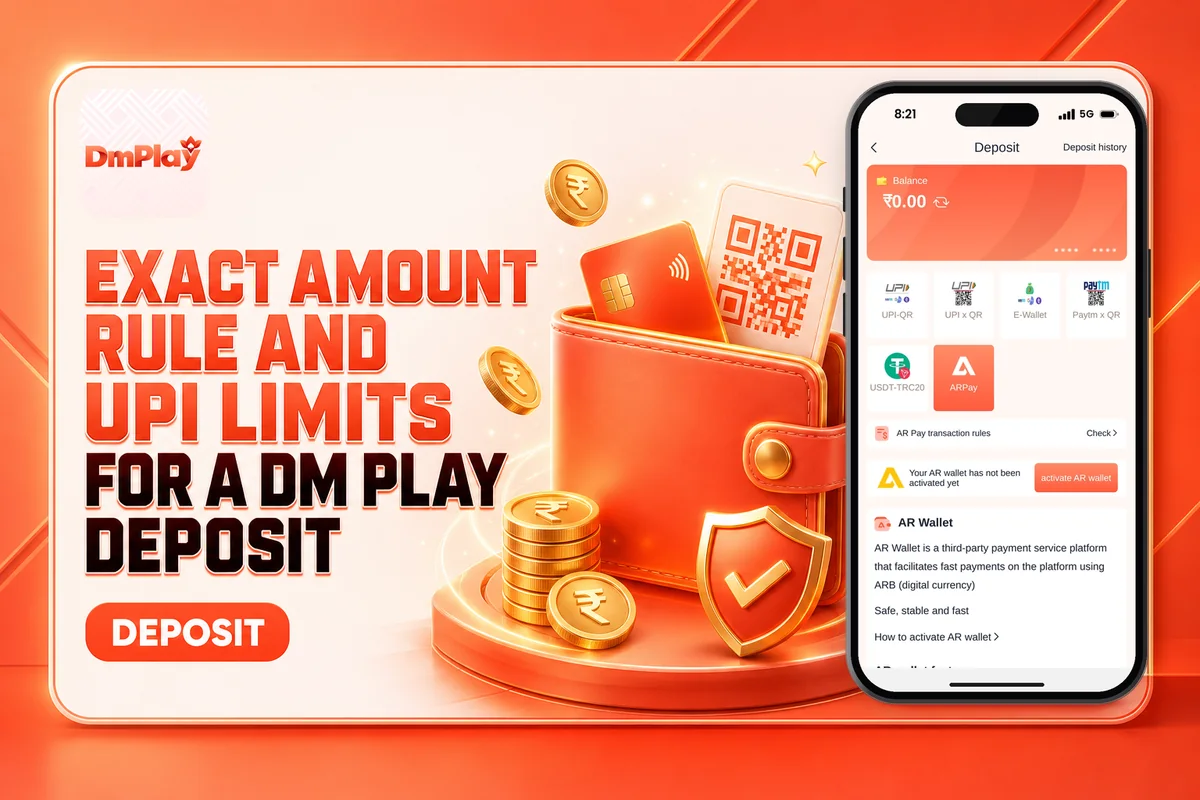
Across platforms like this, small slips cause most deposit failures, such as sending ₹1 less than the order amount or closing the order while the bank is still processing it. Here you’ll find the steps, each method’s limit, the doubt about the USDT minimum, and the action to take if your balance doesn’t change. DM Play is intended for people aged 18 and above, and real-money play always carries the risk of losing.
How To Make A DM Play Deposit From The Account Page
You make a deposit by tapping Account after you log in, then tapping Deposit. The button sits inside the account area, not on the home screen, which is why many new players look for it in the wrong place.
Log in with your password and either your mobile number or your email, then tap Account in the bottom menu.
Choose any of the six recharge options on the screen. Each of them leads to either UPI or USDT.
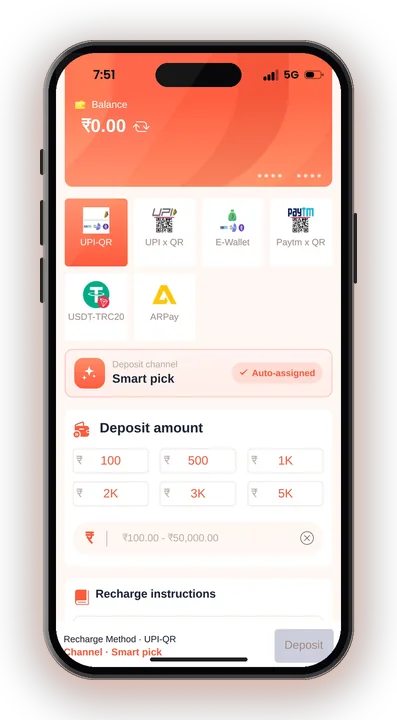
Type the amount you want to add and create the recharge order. Note the exact figure on the order.
Send precisely that amount, not a rounded figure. A different amount cannot be matched to your order.
After paying, do not cancel the order. Wait for your Wallet Balance to update.
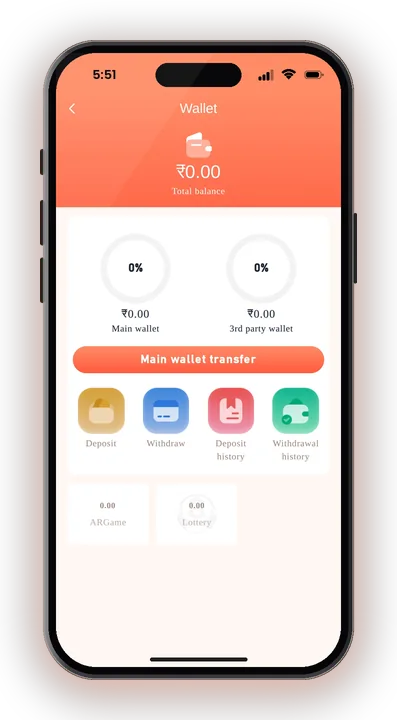
If you have not set up an account yet, start with creating your account first, since Deposit only appears once you are logged in.
DM Play Deposit Limits For UPI And USDT
UPI deposits on DM Play accept a minimum of ₹100 and a maximum of ₹50,000 per order. For USDT, there is its own minimum, and the app shows two different numbers for it.
| Method | Minimum | Maximum | Note |
|---|---|---|---|
| UPI | ₹100 | ₹50,000 | Pay with any UPI app such as PhonePe, Google Pay or Paytm |
| USDT | 10 USDT on the deposit page | Check the app | The USDT address page says 100 USDT; less than 10 USDT is not credited |
To add more than ₹50,000 through UPI, break the amount into several orders and pay each one separately. Never try to push a single big transfer against a smaller order.
What Are The Six Recharge Ways On The Deposit Screen?
The six recharge ways are different payment tiles, but they come down to just two methods: UPI and USDT. Several tiles are simply separate UPI collection QR codes, so you pay the same way through any of them.
For UPI, scan the QR or use the payment details on the order with your usual UPI app. For USDT, you send crypto to the address shown on the order page, so check the network written there before you send anything.
If one UPI tile fails or loads slowly, create a fresh order on another tile rather than reusing old payment details. Each order carries its own QR code, and paying an old one is a common reason money goes missing.
Why The Exact Amount Rule Matters For Your DM Play Deposit
The amount you send must match the order to the rupee, otherwise it cannot be credited. The system matches your payment to your order by amount, so a payment that differs even slightly from the order will not be linked.
The app also states that it is not responsible for a wrongly transferred amount. In plain terms, a mistake here can mean lost money, so read the figure twice in your UPI app before you enter your PIN.
Do Not Cancel The Order After Paying
Once money leaves your bank, leave the order alone. Cancelling it removes the record your payment needs to match, and then the credit has nowhere to go.
Bank and UPI confirmations can take a little while. Waiting is the safer move, even if the Wallet Balance does not change straight away.
Avoid Using Your Phone Number As UPI ID
The app recommends not using your mobile number as your UPI ID. Pick a UPI ID that keeps your number hidden, and never tell anyone your OTP, even if they say they work for support.
Which USDT Minimum Is Correct, 10 Or 100 USDT?
The deposit page says the minimum is 10 USDT, while the USDT address page says 100 USDT for a DM Play deposit. Both notices appear in the app, so the real limit is unclear.
The safe choice is to follow the higher figure of 100 USDT, or ask Customer Care which limit applies to you before you send. Anything under 10 USDT is not credited at all, so a small test transfer can simply be lost.
USDT needs blockchain confirmations, so a crypto DM Play deposit will not show the second you send it. Use the exact network on the address page; sending on the wrong network is a mistake that usually cannot be undone.
DM Play Deposit Not Credited: Common Problems And Fixes
A DM Play deposit that is not credited is almost always caused by a wrong amount, a cancelled order or a payment to an old QR code. Here is how to handle each one.
You Sent A Different Amount
Reach Customer Care via the Customer Service option on the Account page. Give them your order number and the UPI transaction reference (UTR) so the payment can be traced.
Keep in mind that the app says wrong transfers are the player’s risk, so there is no promise this money comes back.
Balance Not Updated After Paying
Check your bank or UPI app first. If the payment shows as successful, keep the order open and wait before contacting support.
Avoid paying a second time for the same order, since that only adds another problem.
No Phone Number Or Email For Support
DM Play gives no phone number or email for customer care. Rely on the Customer Service option inside the app, and consider anyone on social media who offers to fix a deposit for money a scammer.
What Bonus Comes With Your First Deposit On DM Play?
The First Deposit Bonus offers up to ₹10,000 on your first DM Play deposit. A separate offer gives new users a 2% return on negative profit within 24 hours of the first deposit, subject to a maximum cap.
These are two different listed offers, and play-through terms are not clearly shown. Read the bonus rules inside the Activity page before you deposit a larger amount for a bonus. Players who download the DM Play App can also claim a ₹28 welcome reward by tapping Download & Claim It.
Safe Deposit Tips For DM Play India Players
Fix your playing budget before opening the Deposit screen, and put in only what you can stand to lose. Outcomes in Win Go and the other games are random, and a bigger deposit doesn’t change that.
Think About Withdrawal Before You Deposit
A withdrawal is possible only once your total bet requirement reaches zero, and the name on your first withdrawal account gets locked. Use a UPI account in your own name for depositing, so the details tally later. You can read the whole procedure in getting money out of DM Play.
Ignore Any DM Play Hack Or Predictor
DM Play Hack does not exist. Any app or Telegram group that sells predictions or says it will double your deposit is a scam aimed at taking your money or login details.
Check Your State’s Rules
DM Play shows no licence details, and the rules on real-money gaming differ from one state to another. Check the law in your own state before you deposit, and remember that only users aged 18 and above may use the platform.
DM Play Deposit – FAQs
What is the minimum DM Play deposit by UPI?
A UPI deposit can be as low as ₹100 and as high as ₹50,000 per order. Any UPI app, such as PhonePe, Google Pay or Paytm, will work for the payment.
Can I cancel a deposit order after paying?
No. Once the money is sent, keep the order open and let your Wallet Balance update. If you cancel, your payment is no longer linked to the order.
What happens if I pay a different amount than the order?
The payment cannot be credited automatically, and the app says it is not responsible for money sent wrongly. Contact Customer Service and give them your order number and UTR.
Is the USDT minimum 10 or 100?
The deposit page shows 10 USDT and the address page shows 100 USDT. Send at least 100 USDT or confirm with Customer Care first, since amounts under 10 USDT are not credited.
Summing Up
A smooth DM Play deposit comes down to three habits: start from Account, pay the exact order amount, and never cancel after paying. Keep UPI orders between ₹100 and ₹50,000, and treat the USDT minimum carefully until support confirms it.
Deposit only what your playing budget allows, keep your UPI details under your own name, and ignore any hack offers. Real-money games involve the risk of loss and are strictly for players aged 18 and above.